
DIY / Maintenance / At Home Charging Setup
// DIY Guide
Build separate weekday and weekend charging schedules in the Tesla app, then enter your real electricity rates so it tracks what you're actually spending instead of a rough estimate.
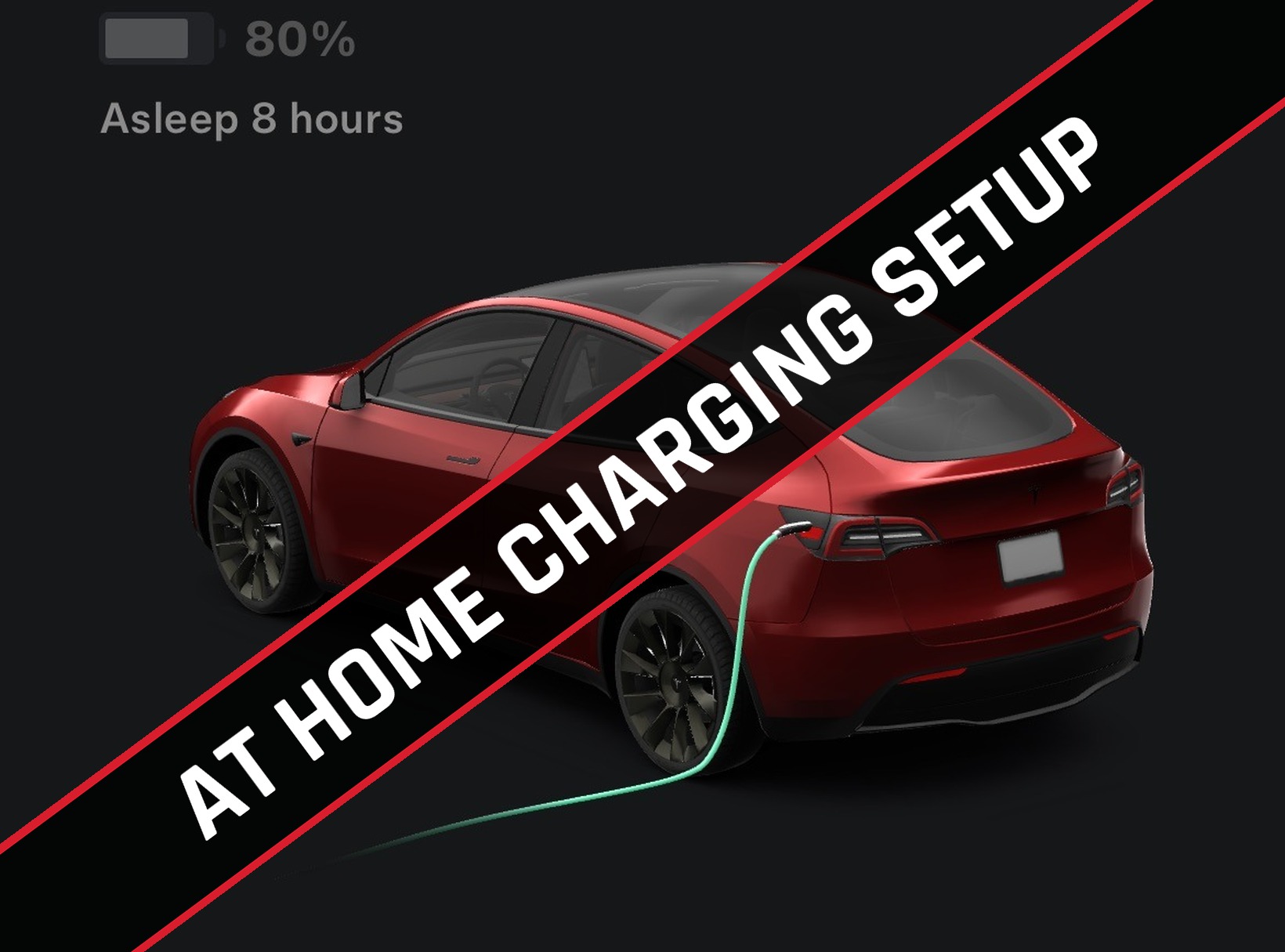
The Tesla app can run different charging schedules for weekdays and weekends, and once you enter your utility's actual rate plan, it'll track what you're really spending to charge at home instead of a generic estimate. Here's how to set up both from scratch.
Before you start, make sure your home location is set on the Model Y's touchscreen — this is what ties your charging setup back into the Tesla app. From the touchscreen: Navigation → Set Home → enter your address → Set as Home.
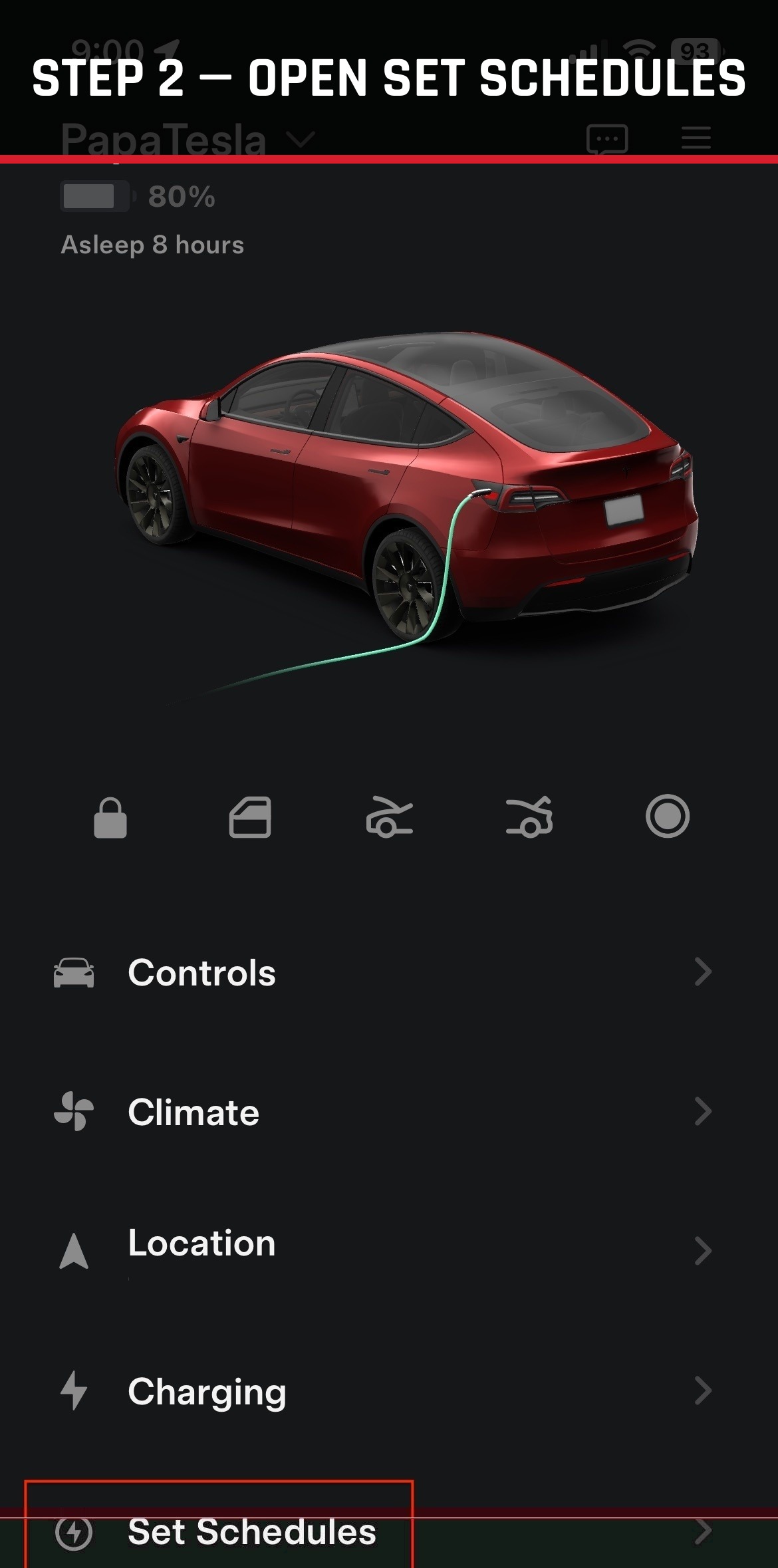
Launch the Tesla app and tap Set Schedules from the main screen.
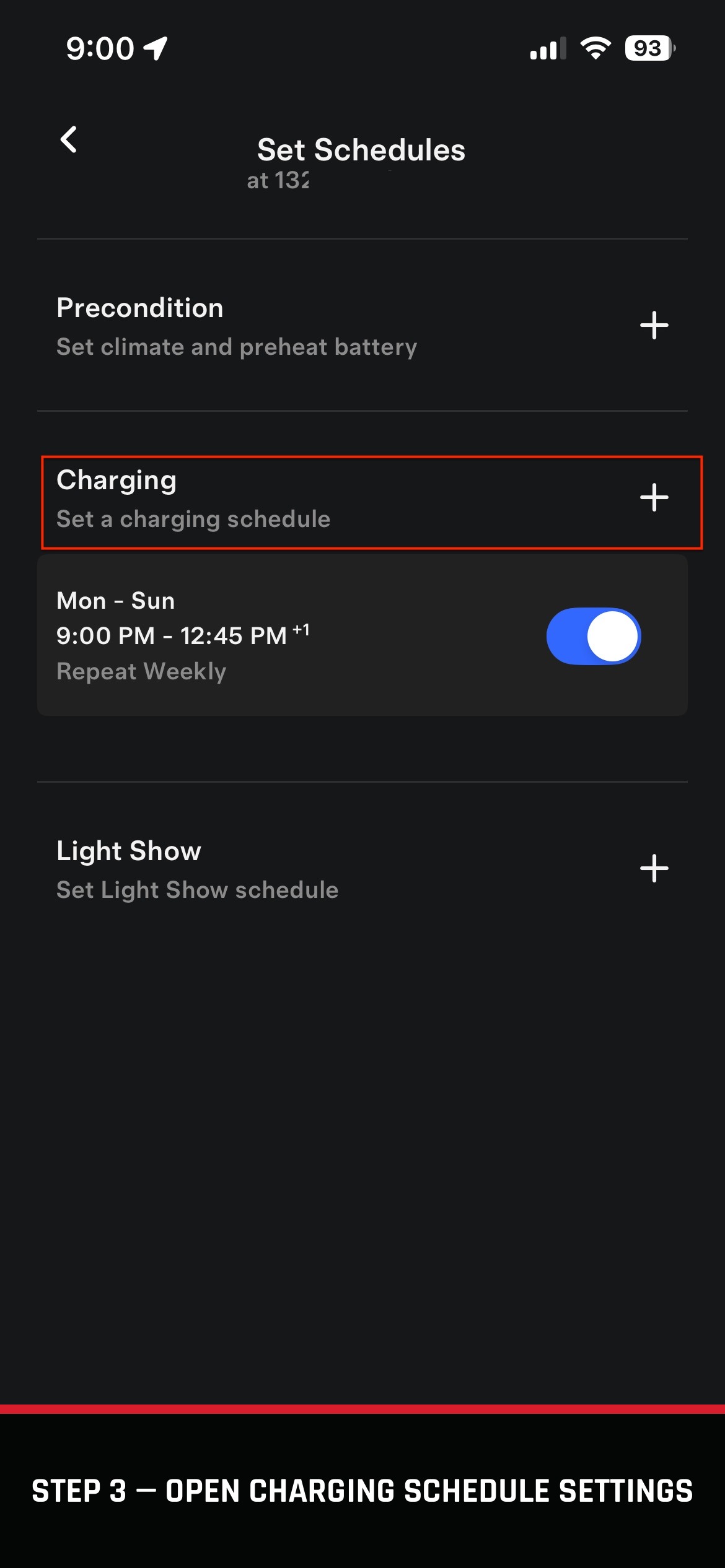
From Set Schedules, tap into Charging, then tap the + button to create a new schedule.
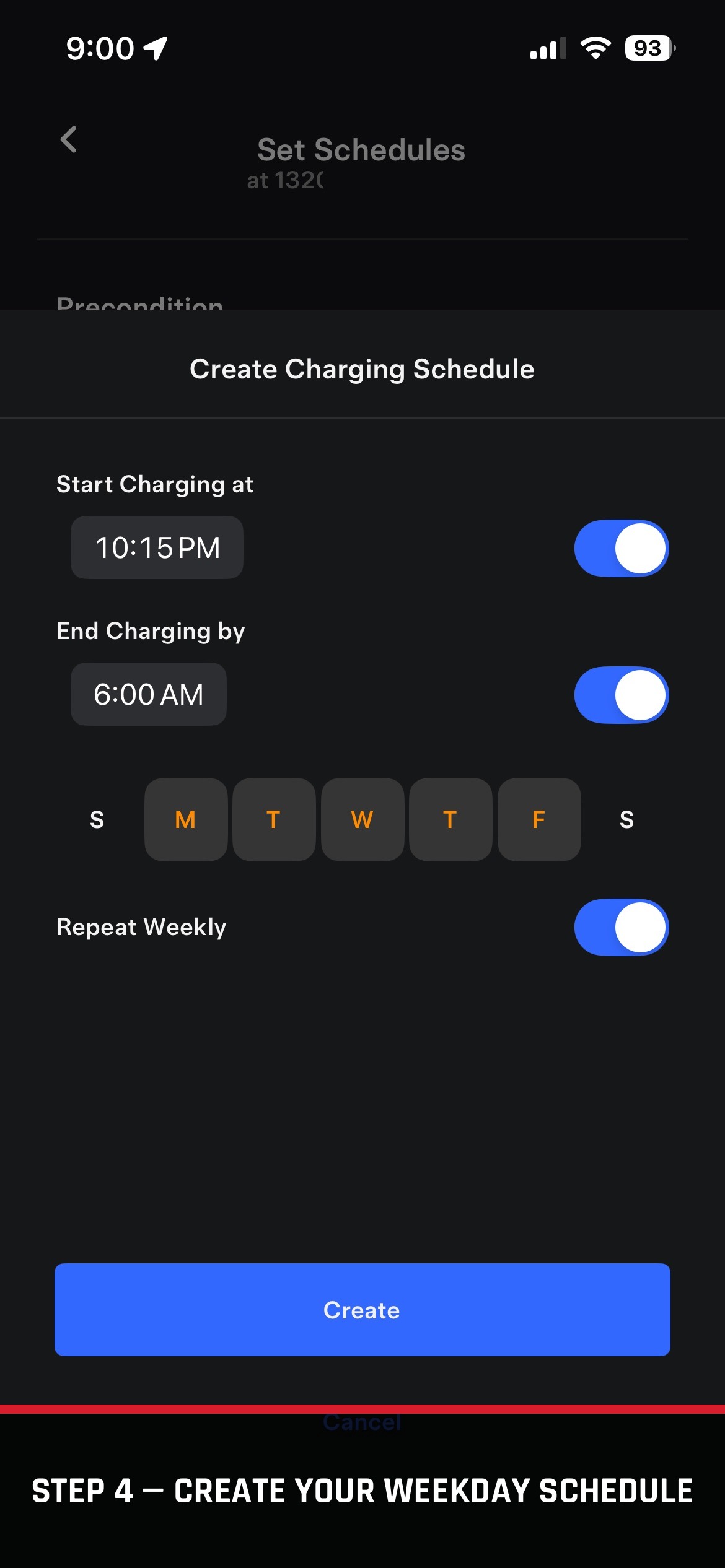
Enter a start time, an end time, and select which days of the week it applies to, then tap Create. In this example, charging runs 10:15 PM to 6:00 AM, Monday through Friday.
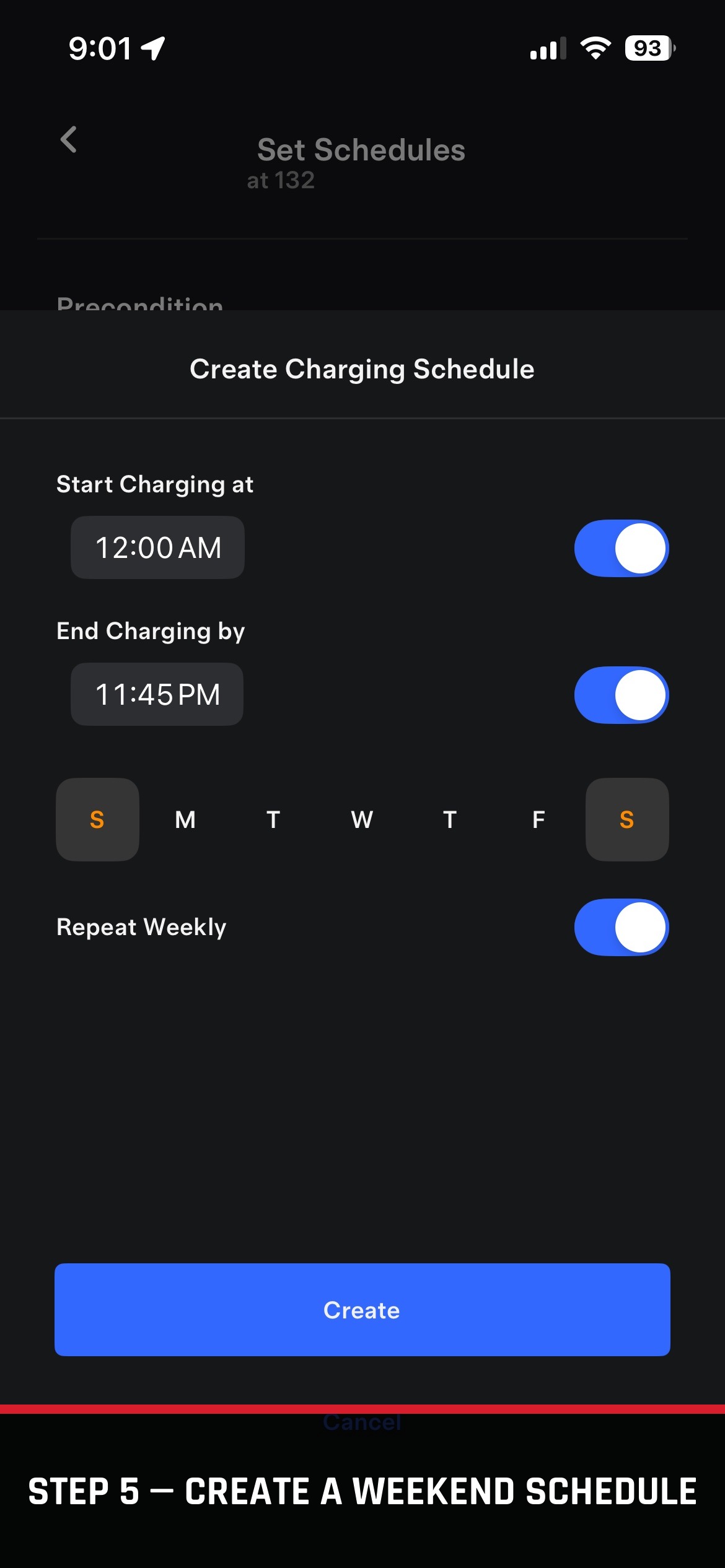
Repeat the same steps for a separate weekend schedule — this time selecting only Saturday and Sunday. In this example, it's set to run nearly all day, 12:00 AM to 11:45 PM.
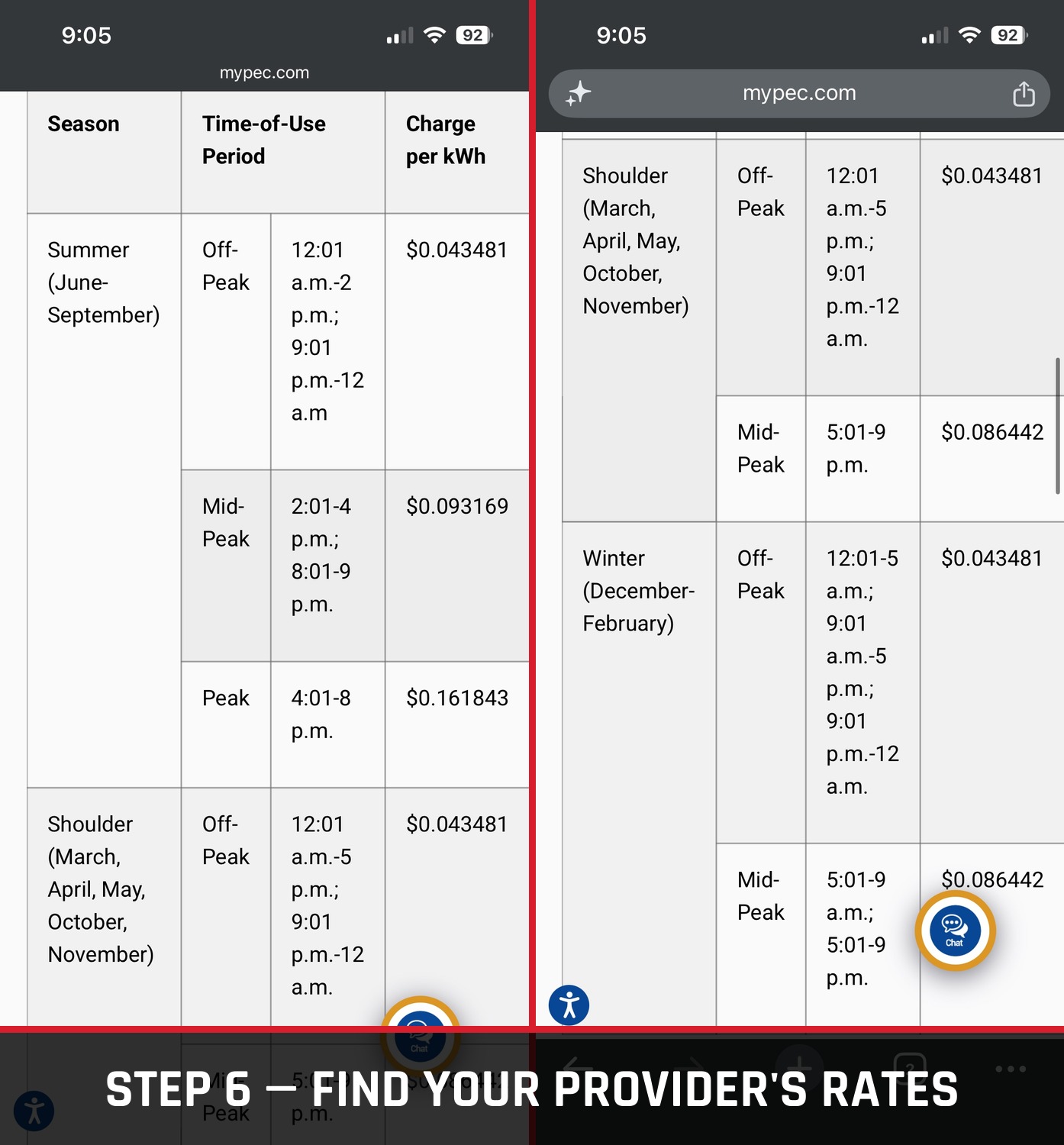
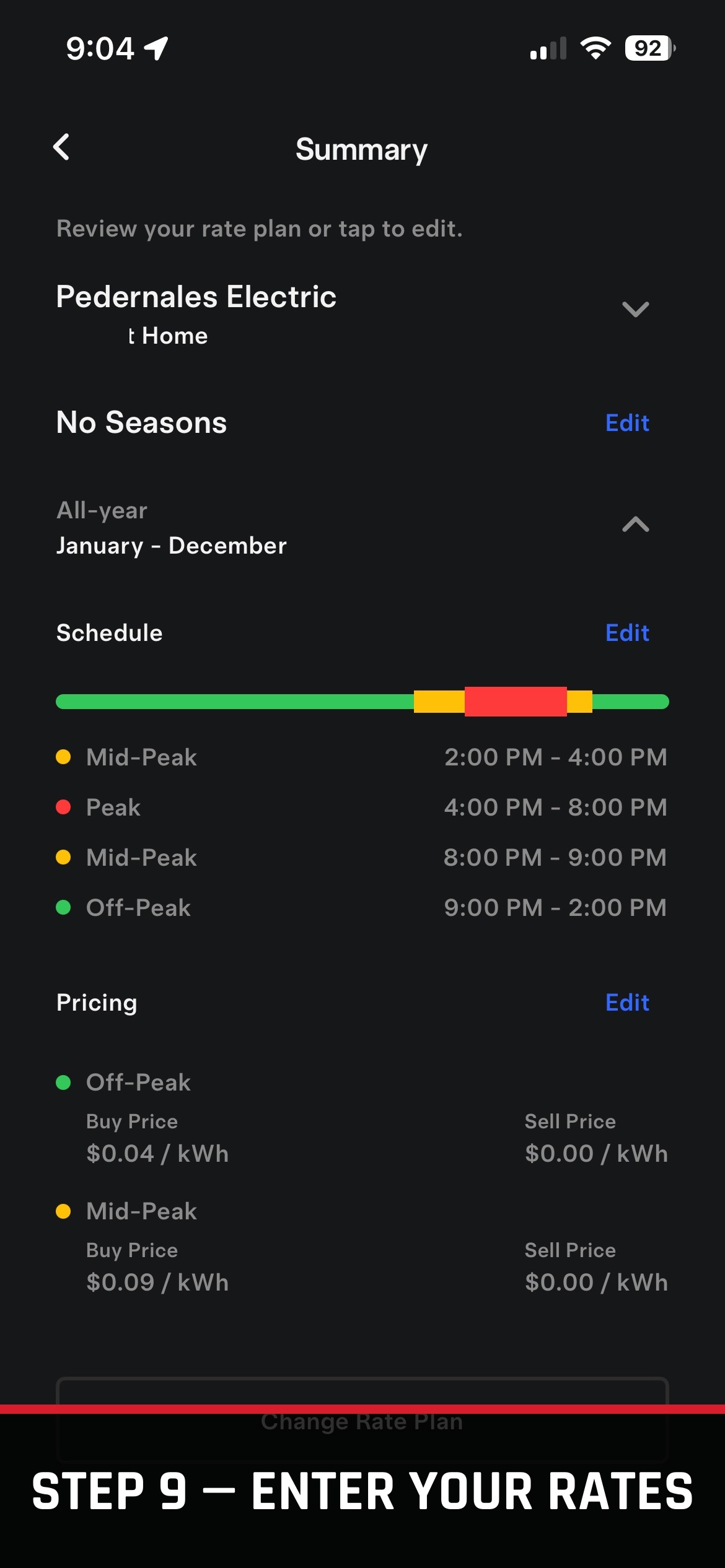
Head to your electricity provider's website and find their residential rate plan. Make note of the off-peak, mid-peak, and on-peak rates — you'll need these in a couple steps. In this example, the rates are from Pedernales Electric.
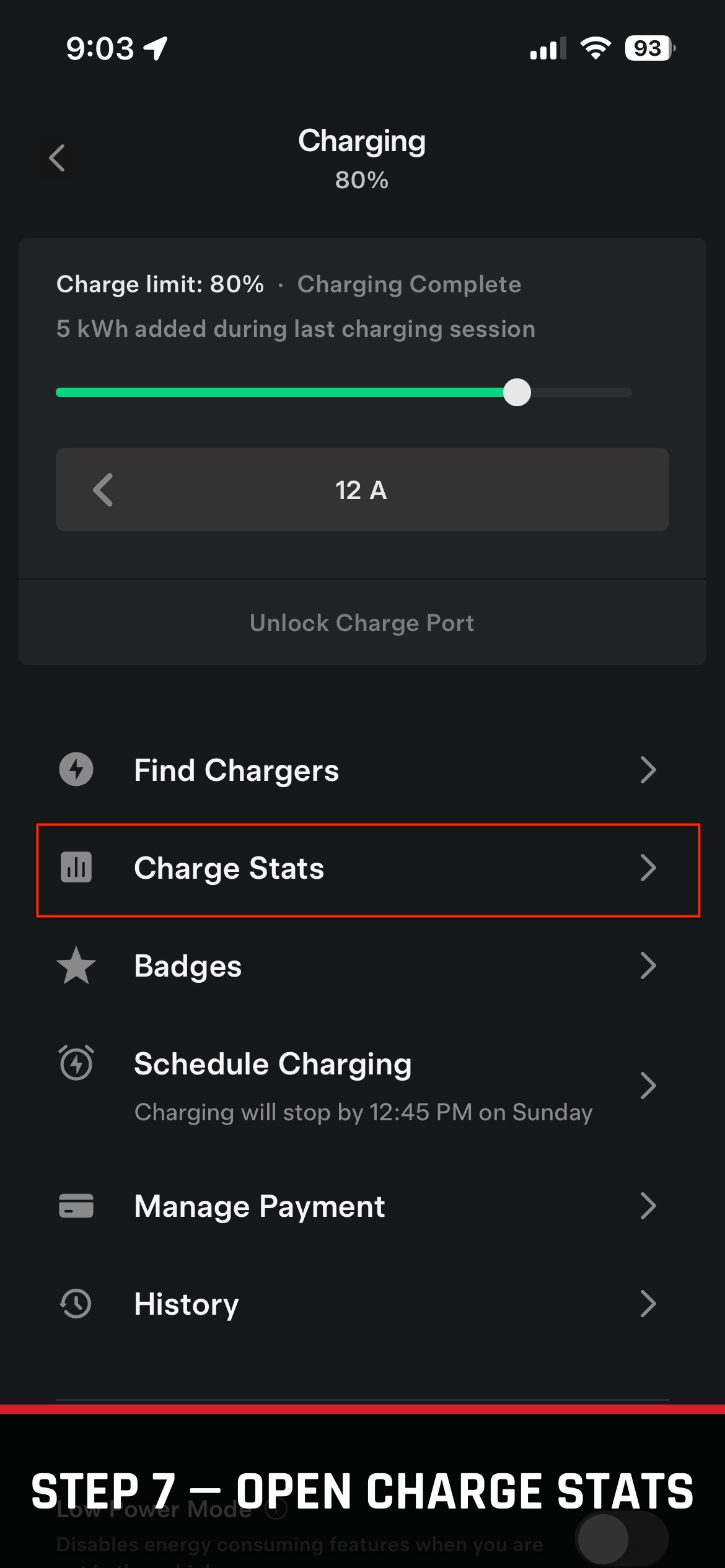
Back in the Tesla app, go to Charging → Charge Stats.
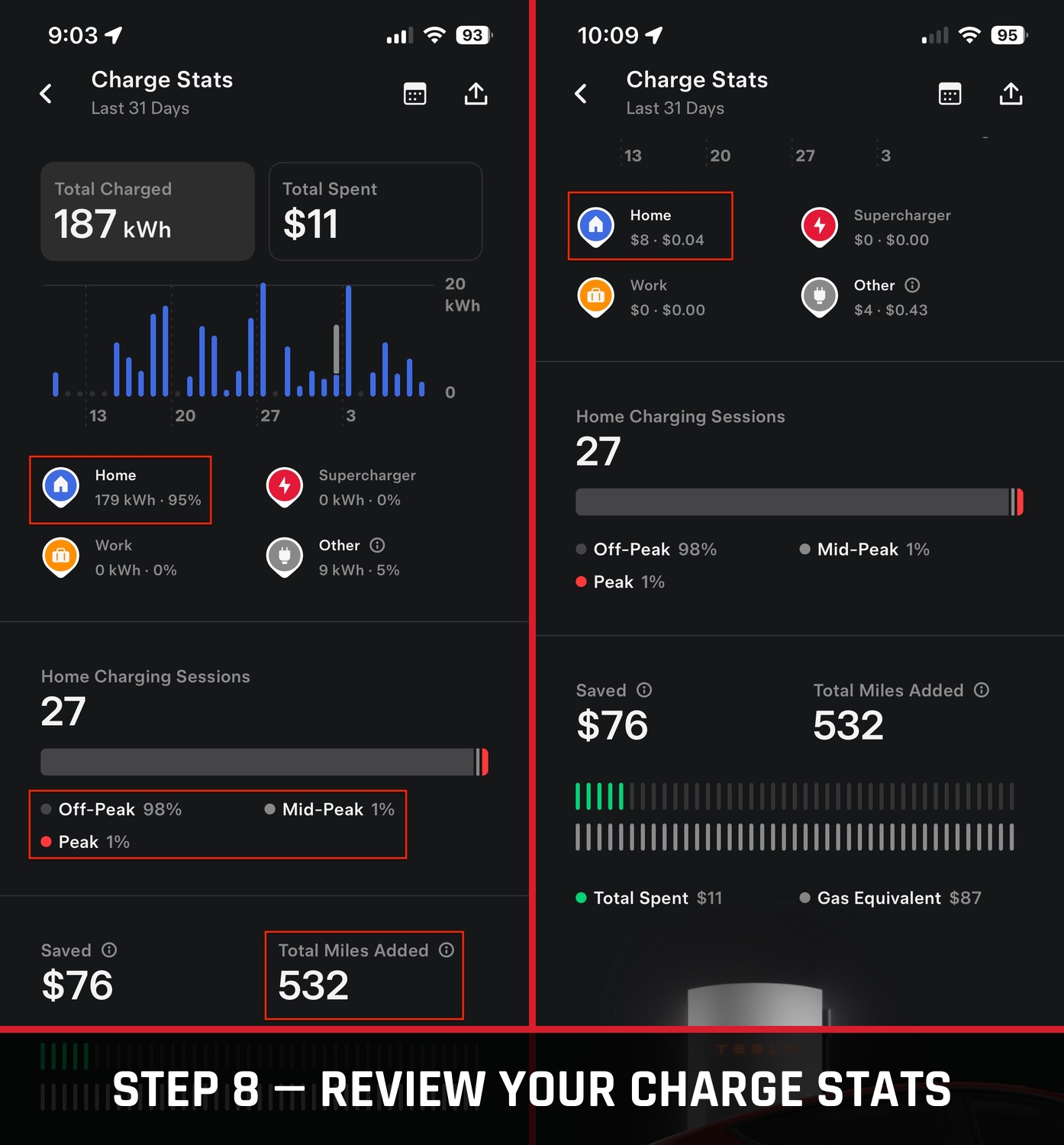
This shows how much of your charging has happened at home versus elsewhere, along with the actual cost — over the last 31 days in this example, charging was 95% at-home and cost $8 to add 532 miles back, almost entirely during off-peak hours.
Scroll to the bottom of the Charging tab and tap Settings. This is where you enter the off-peak, mid-peak, and on-peak rates you looked up earlier. If your provider's rates shift slightly by season and overlap, an average across those months works fine here.
That's it — charging now runs automatically Monday through Friday from 10:15 PM to 6:00 AM, and all day on Saturday and Sunday, repeating every week. And since real rates are entered, the app tracks true spend instead of a rough guess — which, if saving money is part of why you went electric in the first place, is worth having dialed in.
Schedules are great for the routine, but if you need power outside your set hours, open the Tesla app and tap Start Charging to begin immediately — no need to touch the schedule itself.
Menu layout in the Tesla app can shift with software updates, so treat the screens above as a snapshot of the app as of August 2026 rather than a permanent guarantee. Rate figures you enter are self-reported estimates for tracking purposes and won't always match your utility bill exactly, especially with tiered or seasonal rate plans.