
DIY / Maintenance / Where Your Battery Actually Goes
// Reference
How to read the Energy app so you know exactly what's using power — instead of just watching the mileage number drop faster than expected.
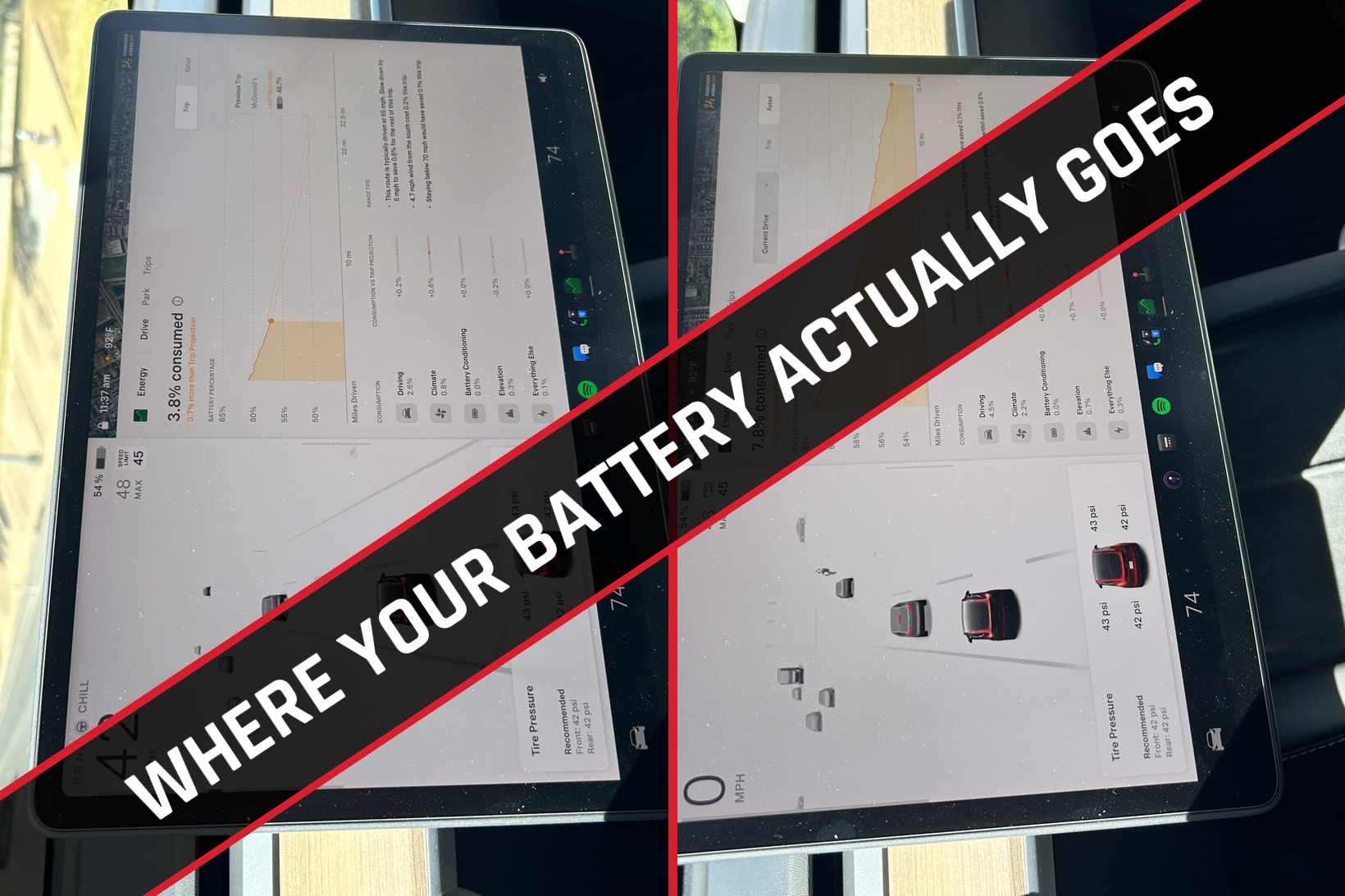
Three different numbers on your screen all relate to "how much battery do I have," and it's easy to mix them up: Battery % (how much charge is left), the displayed mileage (a standardized range estimate, not a personal prediction), and Wh/mi (what your car is actually consuming per mile). Tesla is explicit that displayed range can fall at a different rate than the miles you actually drive, because it's built on EPA-rated efficiency, not your specific trip. If you want to know where your energy is really going, the Energy app is the answer — here's how to actually read it.
Tap the Energy icon on your touchscreen. A few tabs matter most:
These two tabs answer two different questions, and mixing them up is where most of the confusion starts:
| Tab | Question It Answers | Best For |
|---|---|---|
| Trip | "How am I doing versus what Tesla expected for this specific navigation trip?" | Live road trips — route-specific, changes as conditions change. |
| Rated | "How am I doing versus the standardized baseline behind the rated range number?" | Understanding why real-world use differs from the EPA/rated baseline. |
Trip can look good while Rated looks bad, or the other way around — that's not a contradiction, they're just measuring against different reference points.
Say your Model Y starts at a displayed 250 miles and you drive 50 actual miles, but the displayed range falls by 70 miles. That doesn't mean the car burned through 70 physical miles of range — the displayed number isn't a personalized fuel gauge, it's tied to rated efficiency. If your actual Wh/mi is higher than that standardized assumption (highway speed, headwind, cold weather, hills, HVAC), your real-world miles-per-charge will simply be lower than the display suggested. The fix is to stop reading the mileage number and start reading Wh/mi instead, then use Trip/Rated to understand why it's higher or lower than expected.
Wh/mi is watt-hours consumed per mile — lower is more efficient. As a rough feel for the numbers: 200 Wh/mi is about 0.20 kWh per mile, 250 Wh/mi is about 0.25 kWh per mile, 300 Wh/mi is about 0.30 kWh per mile. There's no universal "good" number to chase — wheels, tires, temperature, wind, speed, terrain, traffic, and HVAC all move it around. The most useful comparison is your own car, under similar conditions, over time.
Chill isn't a bigger battery or a different battery-management setting — its main effect is softer acceleration response, which makes smooth driving easier. Tesla also documents a cold-weather reason to use it: dialing back acceleration lets the heat pump pull more heat from the battery for cabin warmth instead of preserving peak acceleration performance. Tesla calls Chill the most efficient mode, especially in cold weather — though Standard can be just as efficient if you drive it equally smoothly. The biggest practical difference is often driver behavior, not the mode itself.
Use Auto and a reasonable setpoint rather than chasing one "magic" temperature — Tesla doesn't publish a number that guarantees a specific Wh/mi improvement, the real principle is avoiding unnecessarily large temperature swings. Precondition while plugged in when you can. In cold weather, seat and steering-wheel heat can warm you more efficiently than heating the whole cabin. In hot weather, pre-cool while plugged in, and know that the A/C compressor sometimes runs even when the cabin doesn't feel like it needs it — it's also cooling the battery.
Cold temperatures increase tire rolling resistance and cabin heating draws battery energy; the heat pump (where equipped) helps by recovering heat from other vehicle components. In very cold conditions, regenerative braking can also be temporarily limited, and you may see a blue snowflake indicator when some stored energy is unavailable because the battery itself is cold. Available energy and regen typically improve as the battery warms up — so a cold morning making the car look less efficient doesn't mean you've lost permanent capacity.
If the drop happens while you're not driving, don't look at Drive — check Energy → Park instead. The usual suspects:
Tesla says a parked car can consume around 1% of charge per day under normal conditions, more depending on which features are active. Turn off what you don't need, and keep it plugged in when you can.
Efficiency is how much energy the car needs to go a mile. Battery health is how much energy the battery can hold in the first place. A high Wh/mi reading on a fast, cold, windy, uphill drive doesn't by itself mean anything is wrong with the battery. If you actually want to check battery health, use the built-in test under Controls → Service → Battery Health rather than trying to infer capacity loss from the displayed range.
Escalate if consumption stays unusually high across several comparable drives even after accounting for speed, weather, terrain, HVAC, tires, and parked features — or if you see warning messages, odd charging behavior, or unexplained drain that persists while parked. Save a few Energy app screenshots along with the route, speed, temperature, and HVAC conditions so Service has something concrete to look at.
| If you see this… | Check this first… |
|---|---|
| Battery % drops quickly while driving | Wh/mi → speed → acceleration → hills/wind → HVAC → tires |
| Displayed miles drop faster than actual miles | Normal — displayed miles use EPA-rated efficiency. Check the Energy app. |
| Trip looks bad | Compare actual Wh/mi against the trip projection; check route conditions. |
| Rated looks bad | Real-world consumption is above the standardized baseline; check speed/weather/HVAC. |
| Battery drops overnight | Energy → Park → Sentry → climate/Cabin Overheat → standby/apps |
| Cold-weather range suddenly worse | Battery temperature, cabin heating, rolling resistance, limited regen |
| Want maximum efficiency | Lower speed, smooth acceleration, Chill, sensible HVAC, preconditioning while plugged in, correct tire pressure |
For an always-current reference, you can go straight to Tesla's own documentation:
Sourced from Tesla's Model Y Owner's Manual and official Range Tips documentation. Menu names and available features can vary by vehicle and software version, so treat exact screen layouts as current as of August 2026 rather than permanent.
This information is provided for reference only and does not replace Tesla's official documentation. Real-world range and efficiency depend on your specific vehicle, conditions, and driving habits.