
DIY / Maintenance / Understanding Regenerative Braking
// Reference
What's actually happening when you lift off the accelerator — and how to check the touchscreen to confirm it's working and set to the level you want.
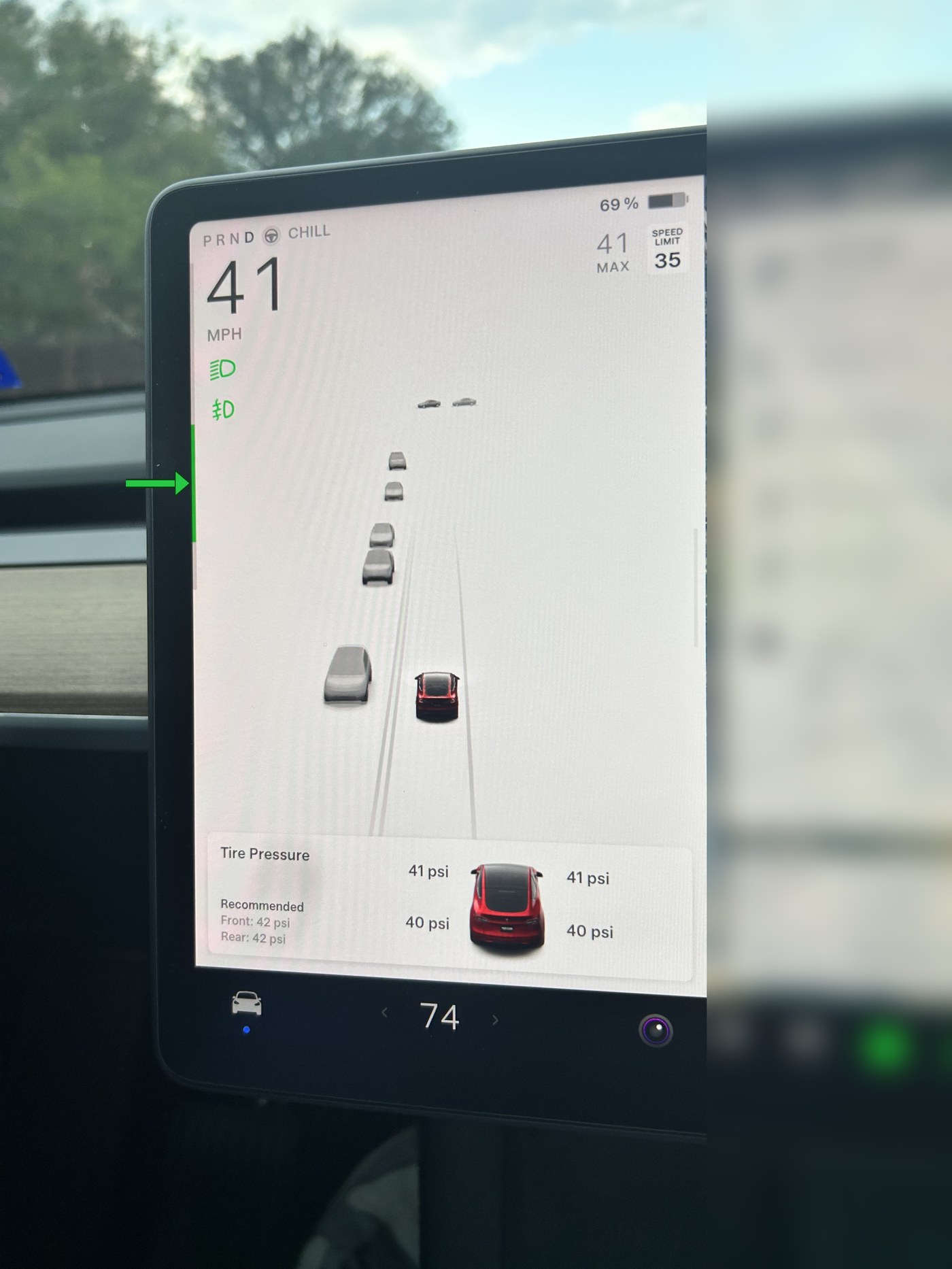
Regenerative braking is the system that slows your Model Y down and recharges the battery at the same time, by turning the electric motor into a generator the moment you lift off the accelerator. Tesla puts it simply: whenever the car is moving and your foot is off the accelerator, regenerative braking slows the vehicle and feeds any surplus power back to the battery. Anticipate your stops and ease off the accelerator early instead of coasting into the brake pedal, and you're recovering energy you'd otherwise lose — which is exactly what the green bar on the left edge of your touchscreen is showing you in real time.
Look at the left edge of your touchscreen while driving. When you lift off the accelerator, a green bar appears and grows as more power is being sent back to the battery — the harder the regen, the taller the bar. No bar means the car isn't currently recovering energy (for example, if you're already coasting at a steady speed or the battery is too cold or too full to accept a charge).
You can use the touchscreen to change how strong regenerative braking feels:
For an always-current reference, you can go straight to Tesla's own documentation:
Sourced from Tesla's Model Y Owner's Manual. Menu names and available features can vary by vehicle and software version, so treat exact screen layouts as current as of August 2026 rather than permanent.
This information is provided for reference only and does not replace Tesla's official documentation. Regenerative braking behavior can vary with battery temperature, charge level, and software version.